One UI 9 update is now rolling out for Galaxy Z Fold 5 and Z Flip 5 beta users. This latest update brings a host of new features and improvements.
Overview of One UI 9 Update
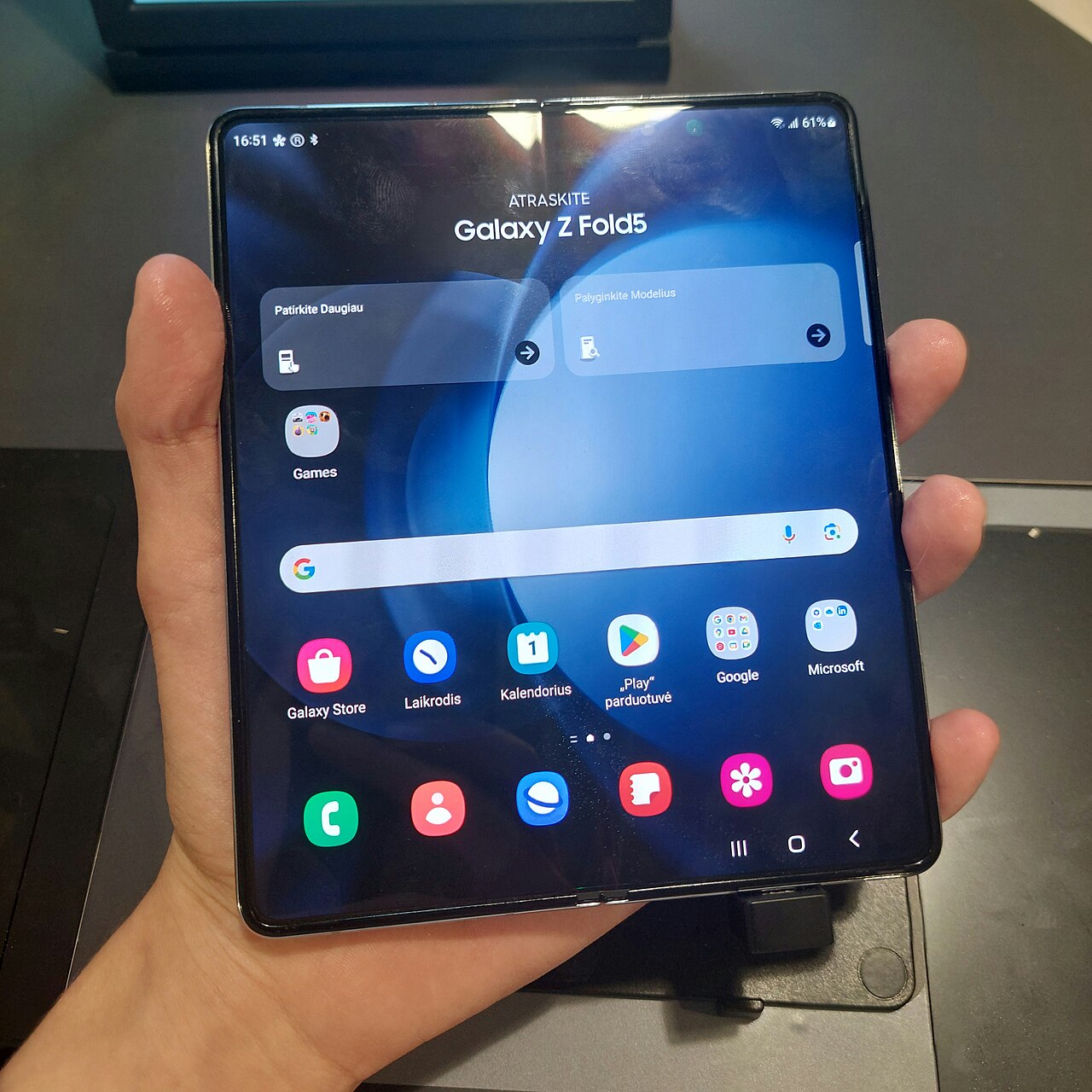
The One UI 9 update has officially rolled out for Galaxy Z Fold 5 users, bringing a host of new features and improvements designed to enhance the overall user experience. This latest version focuses on refining usability and performance, ensuring that users can make the most out of their devices.
One of the standout features of the One UI 9 update is its enhanced multitasking capabilities, allowing users to run multiple apps simultaneously with greater ease. This improvement is particularly beneficial for those who rely on their Galaxy Z Fold 5 for productivity, as it streamlines workflows and increases efficiency.
Additionally, the update introduces a refined interface that emphasizes user customization. Users can now tailor their home screens and app layouts more intuitively, creating a personalized environment that suits their needs.
Security enhancements are also a significant focus in the One UI 9 update. With the latest security patches and features, users can feel confident that their data is protected against potential threats.
Overall, the One UI 9 update represents a significant step forward for Galaxy Z Fold 5 users, combining functionality, aesthetic improvements, and robust security measures into one comprehensive package.
Key Features of One UI 9
The One UI 9 update brings a host of exciting features specifically tailored for Galaxy Z Fold 5 users. This latest iteration aims to enhance productivity and provide a more seamless user experience. Here are some of the key features:
- Multitasking Enhancements: Users can now enjoy improved multitasking capabilities, allowing for easier app switching and side-by-side app usage. This is particularly beneficial for the larger display of the Galaxy Z Fold 5.
- Revamped Notifications Panel: The notifications panel has been redesigned for better accessibility and organization. Users can easily manage notifications with a more intuitive layout.
- Advanced Split-Screen Mode: The split-screen functionality has been upgraded, enabling users to run multiple applications simultaneously with greater ease.
- Enhanced Flex Mode: Flex mode has received improvements that enable hands-free video calls and media consumption, making the most of the foldable design.
- New Customization Options: One UI 9 introduces a variety of customization options, allowing users to personalize their home screens and widgets for a more tailored experience.
Overall, the One UI 9 update not only enhances the core functionality of the Galaxy Z Fold 5 but also adds features that leverage its unique design, making it a significant upgrade for users.
How to Install One UI 9 Update
The process to install the One UI 9 update on your Galaxy Z Fold 5 is straightforward, ensuring you can enjoy the latest features and improvements seamlessly. Here are the steps to follow:
- Check Compatibility: Ensure your device is eligible for the One UI 9 update. The Galaxy Z Fold 5 should be running the latest available software version before proceeding.
- Backup Your Data: Before initiating the update, it’s wise to back up your important data. You can use Samsung Cloud or any preferred backup service to secure your information.
- Open Settings: Navigate to the Settings app on your device. This can typically be found on your home screen or in the app drawer.
- Software Update: Scroll down and select “Software update.” Here, you will see options to download and install the latest updates.
- Download Update: If the One UI 9 update is available, tap “Download and install.” The device will check for available updates, and you will be prompted to proceed.
- Install Update: Once the download is complete, follow the prompts to install the update. Your device may restart during this process.
After the installation, explore the new features that One UI 9 brings to enhance your Galaxy Z Fold 5 experience.
User Reactions to One UI 9
As the One UI 9 update begins to reach Galaxy Z Fold 5 users, reactions have been largely positive, with many highlighting the improvements and new features that enhance their device experience. Users have taken to social media and forums to express their thoughts on the update.
Many users have noted the enhanced multitasking capabilities, which allow for smoother transitions between apps. One user commented, “The split-screen feature is now more intuitive, making it easier to juggle multiple tasks at once.” Others are particularly pleased with the improved customization options, such as new themes and widgets that give their devices a fresh look.
However, not all feedback has been entirely positive. Some users reported minor bugs that they experienced after the update. One Galaxy Z Fold 5 owner mentioned, “While I love the new features, I’ve noticed a few glitches that need to be addressed.” Overall, the community seems to appreciate the direction Samsung is taking with the One UI 9 update, indicating a strong interest in ongoing improvements.
As more users continue to explore the new interface, it’s clear that the One UI 9 update is shaping up to be a significant upgrade for Galaxy Z Fold 5 owners.
Comparison: One UI 9 vs Previous Versions
The release of the One UI 9 update has brought significant enhancements compared to its predecessors, making it a noteworthy upgrade for users of the Galaxy Z Fold 5. Here, we compare the new features and improvements against previous versions to highlight the key differences.
- User Interface Design: One UI 9 introduces a more refined and modern design, with smoother animations and a cleaner layout. This contrasts with the somewhat cluttered interface found in One UI 4, providing a more enjoyable user experience.
- Multitasking Features: The latest version enhances multitasking capabilities, allowing users to run multiple applications in split-screen mode more efficiently than in One UI 5. This is particularly beneficial for the Galaxy Z Fold 5, which thrives on its large screen.
- Customization Options: One UI 9 offers expanded customization choices, enabling users to personalize their devices more than ever. This feature was somewhat limited in earlier versions, making this update particularly appealing.
- Performance Optimization: Users can expect improved performance and battery efficiency with One UI 9. Compared to previous versions, this update focuses on optimizing resource management, ensuring a smoother experience.
Overall, the One UI 9 update delivers substantial improvements that elevate the user experience for Galaxy Z Fold 5 owners, setting a new standard for future updates.
Future Updates for Galaxy Devices
The One UI 9 update marks a significant step forward for Samsung’s Galaxy devices, particularly for users of the Galaxy Z Fold 5. While the current iteration has garnered much attention, Samsung is already looking ahead to future updates that promise to enhance user experience even further.
Samsung has a history of providing regular updates and improvements to its software, and the One UI 9 update is no exception. Upcoming updates are anticipated to introduce:
- Enhanced Multitasking Features: Improved support for multitasking could make the most of the Galaxy Z Fold 5’s unique screen capabilities.
- Better Battery Management: Users can expect optimizations that extend battery life, particularly important for power users.
- Security Enhancements: Regular security updates will keep devices protected against emerging threats.
- Additional Customization Options: More themes, widgets, and settings to personalize user experience.
- Increased Compatibility: Support for a wider range of apps to utilize the foldable display effectively.
As Samsung continues to refine the One UI 9 update, users can look forward to a future where their Galaxy devices not only perform better but also offer a more tailored experience.
via Wikimedia Commons